Features Screenshots Architecture Install GitHub
Open Source · Apache 2.0

The Ultimate LLM Benchmark
for Apple Silicon

MacBenchForge is a lightning-fast, C++ powered benchmarking suite built exclusively for M-series Macs. Push your Metal GPU to the absolute limit with a stunning glassmorphic dashboard.

C++17 macOS 13+ Metal GPU M1–M5
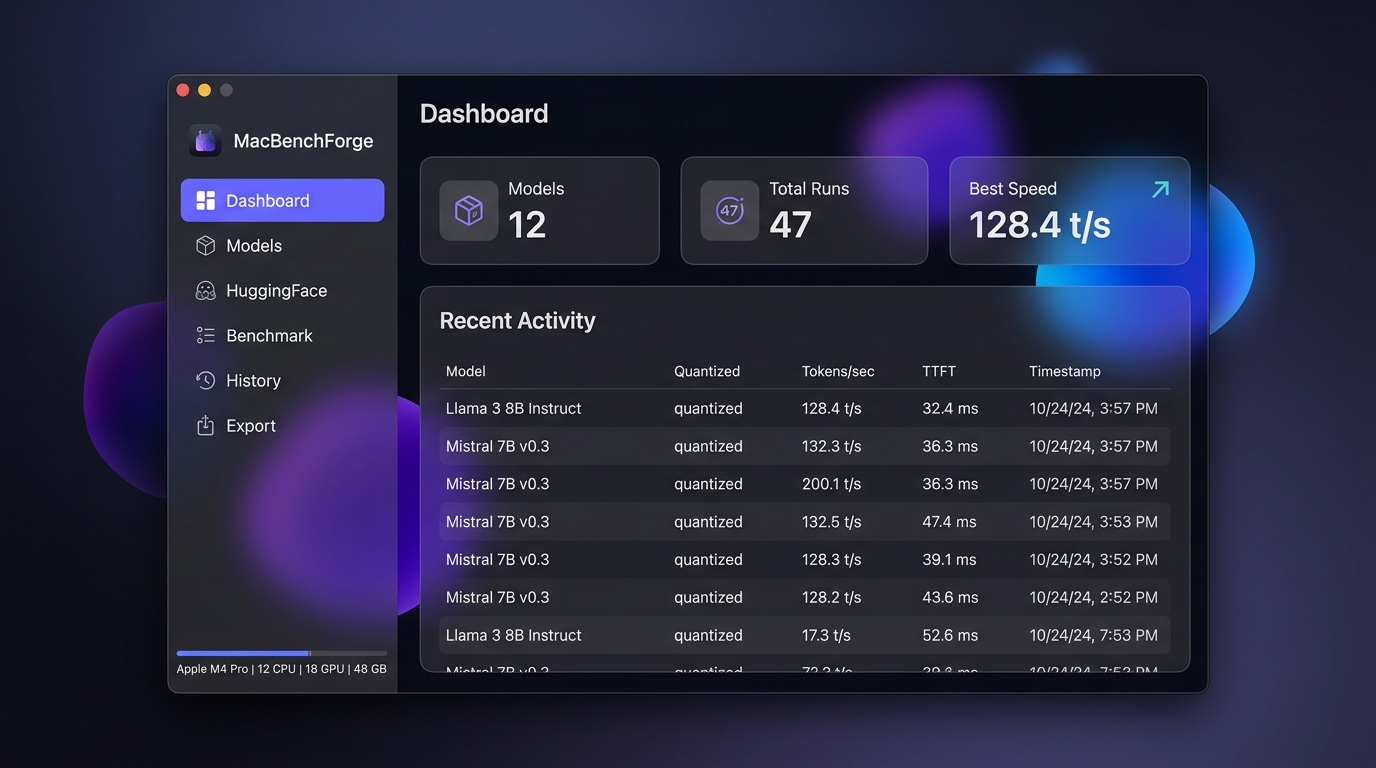
MacBenchForge Dashboard

Everything you need to benchmark LLMs

Designed with a zero-bloat philosophy. No Node.js, no npm, no Electron. Just pure C++ and Vanilla JS delivering native performance.

Apple Silicon Native

Aggressively leverages Metal Performance Shaders via llama.cpp, pushing Unified Memory and GPU cores to their absolute limit.

HuggingFace Integration

Browse, search, and download .gguf models directly from the HuggingFace Hub. Curated Apple Silicon recommendations included.

Advanced Benchmarking

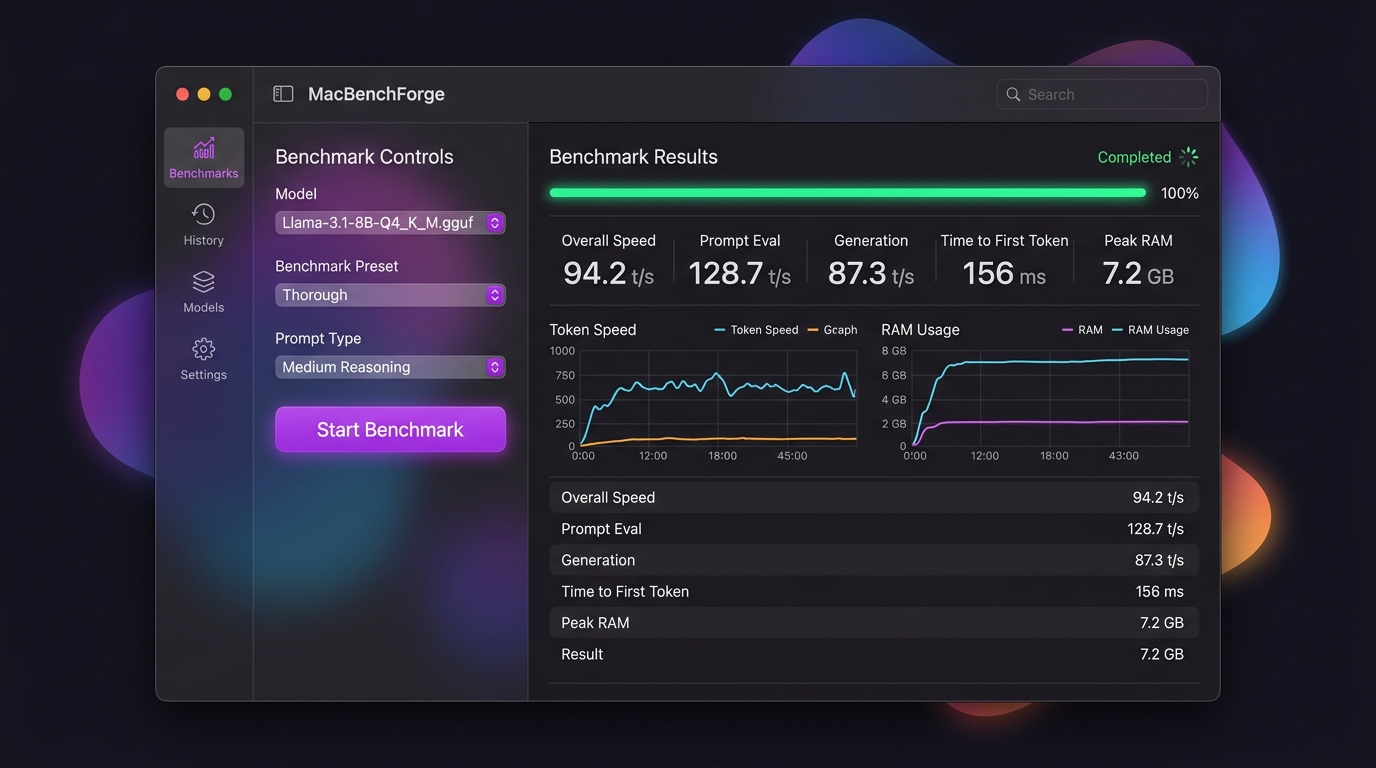
Measure TTFT, tokens/sec, prompt eval, and generation speed. Customizable presets from Quick to Thorough with varied prompt types.

Hardware Telemetry

Real-time detection of your M-series chip, CPU/GPU core counts, system RAM, and dynamic Metal VRAM wiring limits.

Beautiful Visualizations

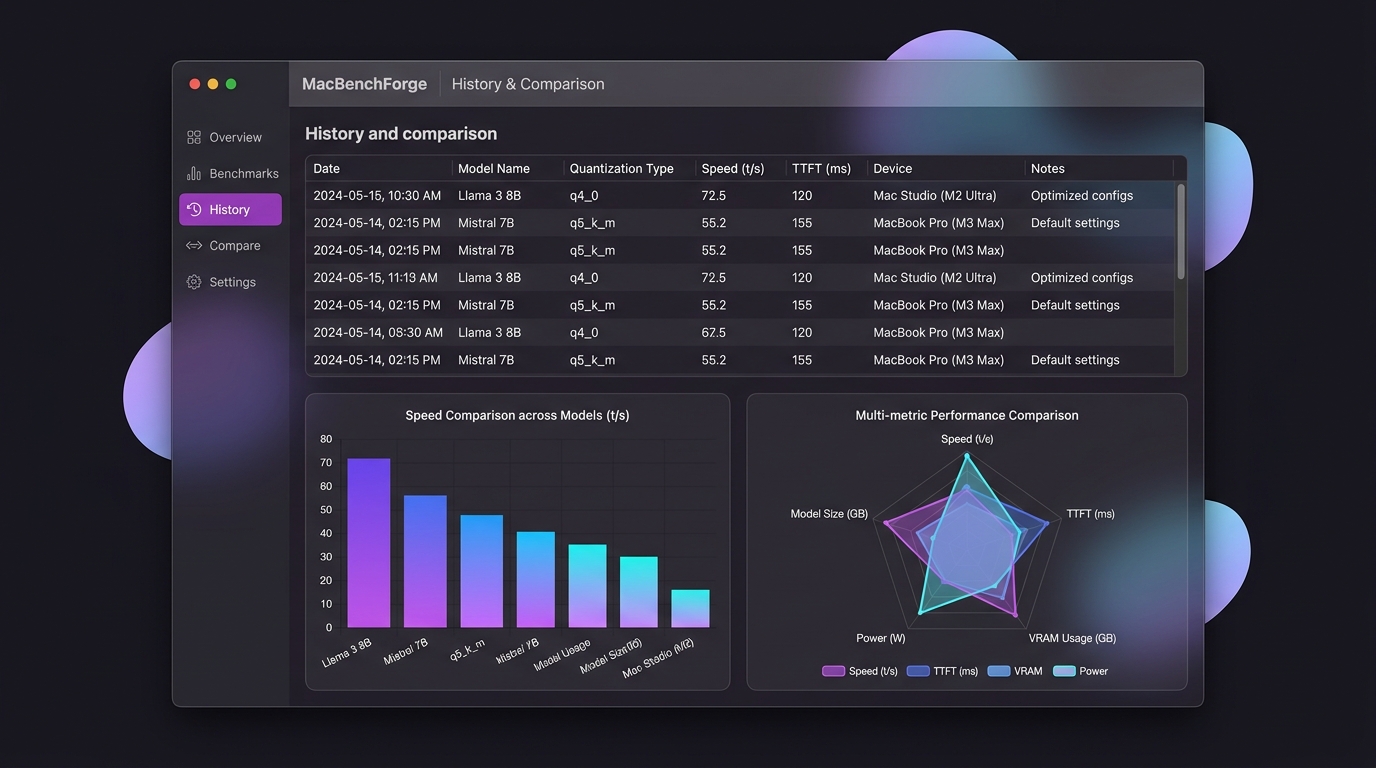
Glassmorphic dark UI with live Chart.js graphs, radar comparisons, progress bars, and toast notifications for a premium feel.

Data Portability

Export your complete benchmark history to JSON or CSV. Compare runs, share results, and track performance across model upgrades.

Designed to be beautiful

A premium glassmorphism UI that makes benchmarking feel delightful. Dark mode, live telemetry, and stunning visualizations.

MacBenchForge Dashboard MacBenchForge Benchmark MacBenchForge History

Clean, separated architecture

A C++17 backend with an ultra-lightweight REST API, SQLite persistence, and a zero-dependency frontend SPA served from memory.

Backend

C++17 Engine

  • cpp-httplib Ultra-lightweight REST API
  • SQLiteCpp Persistent history tracking
  • osascript Native macOS integration
  • libcurl HuggingFace Hub downloads
Engine

Inference Core

  • llama-bench Isolated LLM throughput
  • Metal Full GPU acceleration
  • IOKit Hardware detection via sysctl
  • Memory Poller Real-time RAM telemetry
Frontend

Zero-Bloat SPA

  • Vanilla JS No frameworks, no build tools
  • CSS3 Custom properties + glassmorphism
  • Chart.js Performance visualizations
  • REST Clean API client layer

Up and running in minutes

Download the pre-built .dmg for Apple Silicon or build from source with a few commands.

Recommended

Download .dmg

Pre-built for Apple Silicon. Just download, mount, and drag to Applications.

v2.1.1 ~1.5 MB Apple Silicon
Download for macOS

Requires macOS Ventura (13.0)+ and brew install llama.cpp

Build from Source

Full control. Clone, build with CMake, and run locally.

Terminal
# Clone with submodules
git clone --recursive https://github.com/AdityaGuhaa/MacBenchForge.git
cd MacBenchForge

# Install dependencies
brew install curl openssl cmake llama.cpp

# Build and launch
mkdir build && cd build
cmake ..
cmake --build . -j
./bin/MacBenchForge

Installation Troubleshooting

Running into an error? Watch this quick preview guide on how to resolve common installation issues.

Ready to benchmark your Apple Silicon?

Join the community of developers pushing their M-series Macs to the limit.